
Plugin’s Integration Settings for Stallion Express
This guide provides an overview of the Integration Settings in the Stallion Express Shipping PRO plugin for WooCommerce. It explains the purpose of each setting, how it impacts your shipping operations, and how to configure them to suit your store’s workflow.
Integration Settings : #
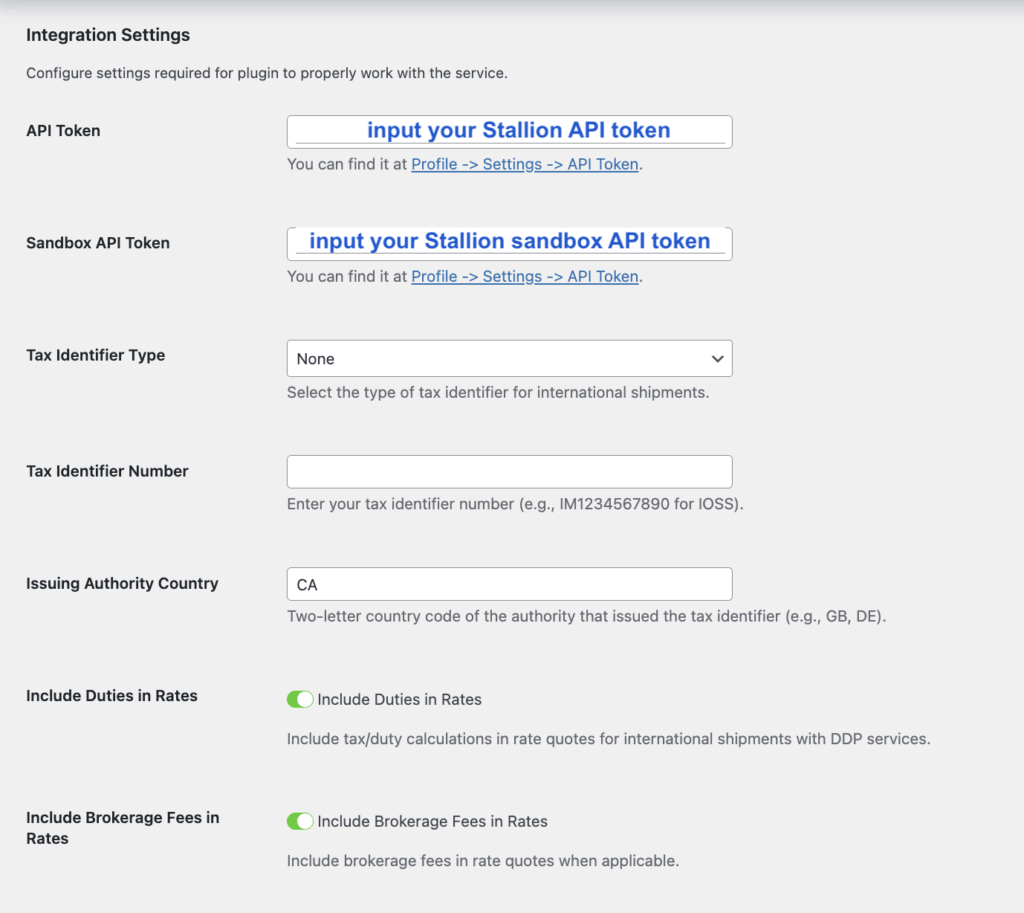
API Token
You can find your Stallion API Token in your Stallion account. This information is required for the plugin to retrieve live shipping rates from your Stallion account.
Sandbox API Token
You can find it on your Stallion account. This information is required in sandbox mode for the plugin to retrieve live shipping rates from your Stallion account.
Tax Identifier Type
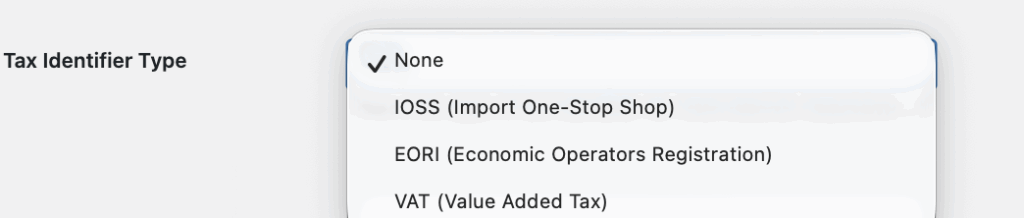
Please choose the appropriate option for international shipments in your WooCommerce store. The available options are IOSS, EORI, and VAT.
Issuing Authority Country
Since you are using Stallion Shipping and your store is based in Canada, you can enter CA in this field.
Include Duties in Rates
We recommend enabling this option to include duties in the shipping cost displayed in the cart and checkout. This allows your customers to see the total shipping cost upfront, providing full transparency and helping prevent unexpected duty charges when their package is delivered.
Include Brokerate Fees in Rates
We recommend enabling this option, as Stallion Express applies brokerage fees to each shipment.


