
Exclude Specific Shipping Services for a Product Category in WooCommerce Shipping Plugins
Sometimes you may want to limit which shipping services are available for certain products. For example, food items may need faster delivery, while other products can use cheaper, slower options. This guide will show you how to exclude specific shipping services based on product category in the WooCommerce live shipping rates plugin.
Before You Start #
During the initial testing phase, we recommend the following:
- Do not apply any shipping service limitation in the shipping plugin’s settings yet
- Enable the feature “Display all available services” (see screenshot below) in the shipping services settings.
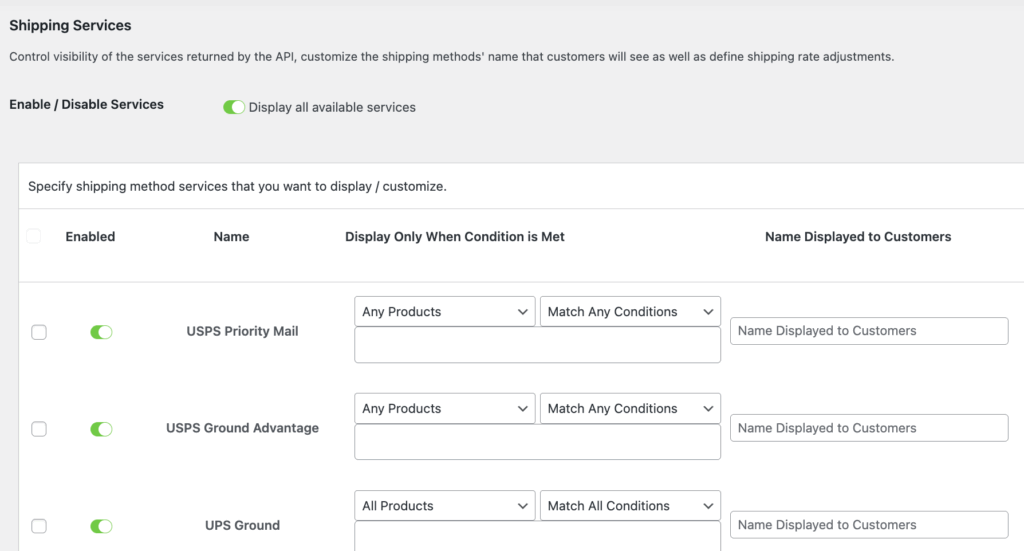
This helps you understand which shipping services are supported for your WooCommerce store by the multi-carrier API before applying any limitations. Once you confirm the available shipping services, you can then configure your preferred options.
Example Scenario #
In our example:
- We have a sunglass product under the Accessory product category.
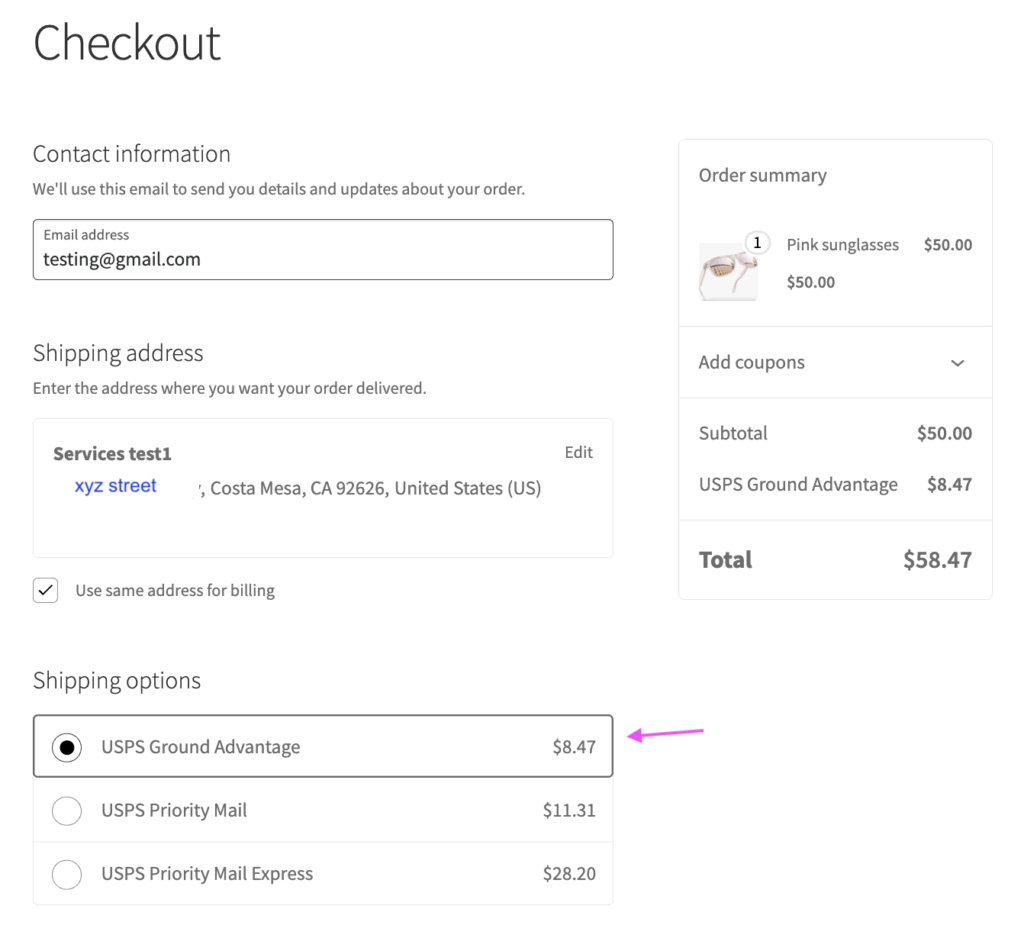
- Without limitation for shipping services, the WooCommerce shipping plugin shows these available USPS services in the cart:
- USPS Ground Advantage
- USPS Priority Mail
- USPS Priority Mail Express
Tip: For the best performance for the shipping plugin, we recommend enabling no more than 5 shipping services at a time.
Goal #
We want to:
- Offer faster shipping options for the Accessory category
- Exclude USPS Ground Advantage shipping services for this accessory product category
How to Configure Shipping Service Exclusions by Product Category or Shipping Class #
- Go to the USPS Ground Advantage service settings.
- Set: Product categories: accessory, Condition: Exclude Products
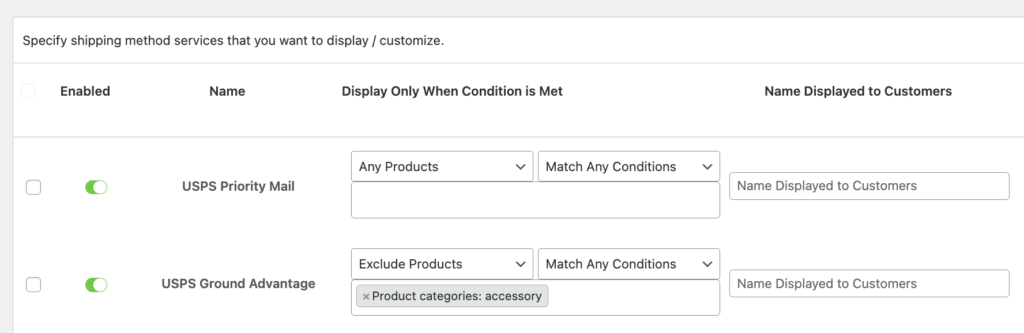
This tells the WooCommerce shipping plugin to exclude USPS Ground Advantage shipping services whenever a product from the Accessory category is in the cart.
As a result:
If a customer adds an accessory product (such as sunglasses) to the cart, USPS Ground Advantage will not be displayed as a shipping option.
Testing the Result #
After saving your settings:
- Add the sunglasses (accessory category) to the cart.
- Enter a new shipping address (this helps avoid cached rates).
- Proceed to checkout to see which shipping services return live rates.
You should now only see:
- USPS Priority Mail
- USPS Priority Mail Express
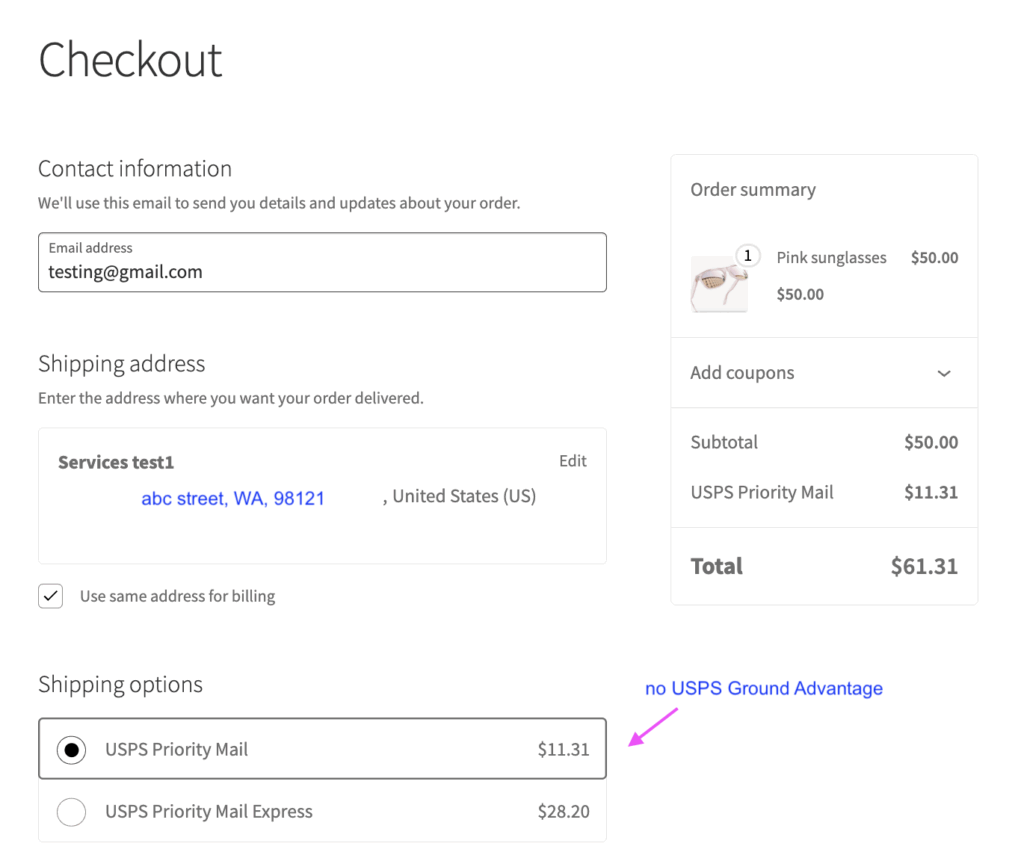
After applying this configuration, USPS Ground Advantage will no longer appear because it is successfully excluded for the Accessory category.
By following the configuration steps above, you can easily exclude a specific product category or shipping class from using certain shipping services.


