
WooCommerce Multi-Vendor Marketplace Plugins
WooCommerce Multi-Vendor Marketplace Plugins
Shipping Labels for Dokan WooCommerce Multivendor Marketplace PRO
WooCommerce Multi-Vendor Marketplace Plugins
Shipping Labels for MultiVendorX WooCommerce Multivendor Marketplace PRO
WooCommerce Multi-Vendor Marketplace Plugins
Shipping Labels for WCFM WooCommerce Multivendor Marketplace PRO
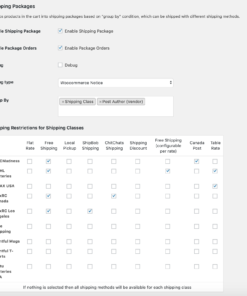
Multi-Vendor Marketplace Shipping & Cart for WooCommerce
Standard e-commerce plugins struggle with multi-vendor marketplaces on WordPress. When independent sellers fulfill orders from different locations, traditional checkout and shipping workflows often calculate rates incorrectly. Our WooCommerce marketplace plugins address the logistical requirements of a WooCommerce multivendor setup.
WooCommerce Multi-Vendor Shipping Labels
Multi vendor marketplace WooCommerce setups need specialized shipping support that most plugins cannot provide. Standard shipping plugins assume a single warehouse and fail to calculate rates when a cart contains items from three sellers in different cities. We build WooCommerce multi vendor shipping and label plugins specifically for marketplace platforms.
Our vendor shipping label plugins integrate with three popular marketplace platforms:
- WCFM Marketplace Shipping: Vendors can compare carrier rates, purchase labels, print them, and track shipments directly from their WCFM Marketplace vendor dashboard — without admin help.
- Dokan Plugin Multi-Carrier Shipping: Our Dokan shipping plugin adds support for Shippo, ShipStation, EasyPost, and other shipping APIs into the Dokan frontend dashboard.
- MultiVendorX Integration: Includes batch label processing, vendor-specific shipping rules, and automated tracking notifications sent to customers for each seller's items.
Marketplace Cart & Split Checkout
When customers shop from multiple vendors in a WooCommerce multivendor store, single-transaction limitations or confusing combined shipping totals often lead to abandoned carts. Our Marketplace Cart plugin changes the WooCommerce checkout to clarify costs.
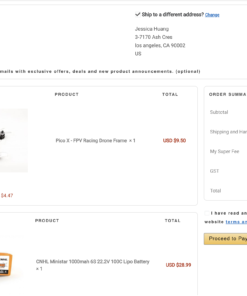
- Vendor Split Cart: Groups items by vendor on the cart and checkout pages, showing buyers exactly how shipping costs are calculated per seller.
- Pay For Selected Items: Allows shoppers to select specific vendor sub-orders and pay for them in a single transaction, leaving the rest in the cart for later.
Fulfillment for Multi-Vendor WooCommerce Stores
Providing vendors with shipping label tools in their dashboards removes administrative work. Vendors handle their own fulfillment, tracking numbers are automated, and marketplace operators avoid managing seller logistics — whether you run a WCFM Marketplace, Dokan plugin setup, or MultiVendorX store.