
E-Commerce Shipping
Shippo Only Showing USPS Rates? Why UPS, FedEx & DHL Express Are Missing (2026 Fix)
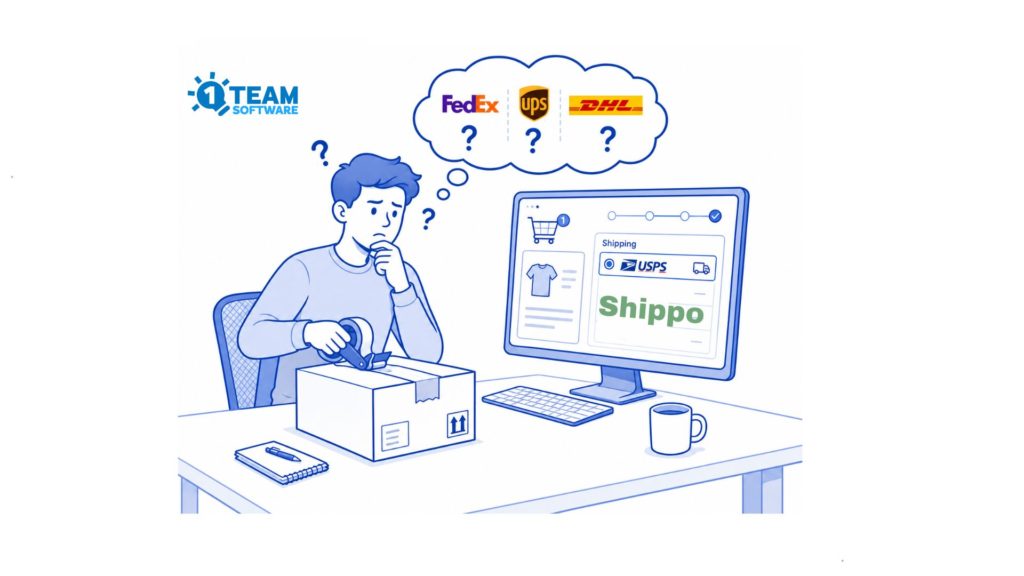
Quick answer: If your new Shippo account returns USPS rates but no UPS, FedEx, or DHL Express in WooCommerce stores, it’s usually not your shipping plugin, address, or shipping box settings. Since June 9, 2026, Shippo asks new users to pick a business type when they generate their first live API token, and the wrong choice can quietly block access to Shippo’s UPS, FedEx, and DHL Express platform accounts. Here’s how to confirm it and fix it.
Our Shippo Shipping PRO plugin supports hundreds of WooCommerce stores running Shippo, and since mid-2026 we’ve been getting the same ticket over and over: “USPS rates show up at checkout, but UPS, FedEx, and DHL Express are completely missing.”
Same store. Same WooCommerce shipping plugin. Same settings that worked for everyone else. So why only USPS?
Here’s the thing: in most of these cases, the problem isn’t in WooCommerce at all. It’s a new Shippo account setting most people don’t even know they chose. Let us explain.
Why is Shippo only showing USPS rates?
In short: your Shippo account probably doesn’t have access to Shippo’s UPS, FedEx, and DHL Express platform master carrier accounts, the built-in accounts that let you ship without connecting your own carrier logins. USPS keeps working because it isn’t tied to the same business-type check. Everything else gets filtered out before it ever reaches your store.
And the most confusing part? The Shippo API doesn’t throw an error. The rate request succeeds, USPS rates come back normally, and the missing carriers simply… aren’t there. No warning. No “access denied.” Nothing that points you to the real cause, which is exactly why so many people blame their shipping plugin first.
What are Shippo platform carrier accounts?
Shippo platform carrier accounts are carrier accounts provided through Shippo. They let eligible users access UPS, FedEx, and DHL Express services and discounted rates without connecting their own carrier accounts.
There are two ways to get carrier rates in Shippo:
- Shippo platform accounts: also called master accounts. These are built into Shippo, so no separate signup with the carrier is required. These are the accounts affected by the business-type issue.
- Bring Your Own Account (BYOA): you connect your own UPS/FedEx/DHL login. Not affected.
The carriers that can disappear and stop returning shipping rates are:
- UPS
- FedEx
- DHL Express
USPS is not affected. Neither are carriers you connect yourself through Bring Your Own Account.
The real cause: your account’s business type
Here’s what changed. On June 9, 2026, Shippo introduced a business-type requirement for new Shippo API users generating a live API token for the first time.
During that setup, Shippo asks what kind of business your account is, for example:
- A direct shipper that sells and ships its own products to customers, or
- A platform, marketplace, or 3PL shipping on behalf of other businesses.
Shippo uses that answer to decide which carrier programs and platform rates your account qualifies for. When the selected business type doesn’t match your actual model, access to certain platform carrier accounts can be restricted, and UPS, FedEx, or DHL Express stop coming back through the Rates API.
Two things make this easy to miss:
- It’s part of the live API token setup, not a normal account setting you can revisit later.
- There’s currently no self-service screen to review or change it. You have to contact Shippo Support.
“Your account is restricted from using this carrier”
Some store owners see a related clue: a message like “your account is restricted from using this carrier.” If that sounds familiar, it’s pointing at the same root cause: your account doesn’t currently have access to that platform carrier account.
But many stores see no message at all, just missing rates. Both point back to the account level, not your WooCommerce configuration.
Does this affect only international shipping?
No. The restriction applies to the platform carrier account itself, not to a specific country or service. If your account can’t access Shippo’s UPS or FedEx platform account, both domestic and international services from that carrier can disappear.
DHL Express is the exception people notice internationally first, simply because DHL Express is mostly used for international shipments. The restriction itself isn’t limited to international orders.
Is this a problem with your WooCommerce Shippo Shipping PRO plugin?
Usually, no, and this is the part worth understanding before you change a single setting.
The Multi-Carrier Shippo Shipping PRO for WooCommerce plugin can only display the rates Shippo’s API actually returns. If Shippo filters out UPS, FedEx, or DHL Express because your account lacks access to those platform carrier accounts, no plugin on earth can show those rates, as there’s nothing to display.
That’s why we tell customers: before you start editing shipping zones, box sizes, product weights, or service rules, confirm the carrier rates exist in your Shippo account first. Otherwise, you’ll spend hours “fixing” a plugin that’s working perfectly.
💡 Using our Shippo Shipping PRO for WooCommerce plugin?
Once Shippo restores carrier access, your live rates appear automatically. See our Shippo setup & rate-testing guide to verify.
📍How to display Shippo rate in WooCommerce
How to fix it: 4 steps
Follow these in order. You’ll know within a few minutes whether the business type is your culprit.
Step 1: Confirm USPS works but the others don’t.
If USPS rates return at checkout and UPS, FedEx, and DHL Express are all missing, that pattern strongly points to Shippo platform-carrier access, not your shipping plugin.
Step 2: Check whether you connected your own carrier accounts.
Carriers you added through Bring Your Own Account aren’t affected by this restriction. If you’re relying on Shippo’s built-in platform accounts, continue.
Step 3: Contact Shippo Support and confirm your business type.
Ask them to check the business type on your account and update it to match your actual model. Be specific about whether you:
- Ship products your own business sells,
- Operate a marketplace,
- Provide a platform integration,
- Ship on behalf of other businesses, or
- Operate as a 3PL / fulfilment provider.
Step 4: Test rates again.
Once Shippo updates your account, re-run a rate request or reload your WooCommerce checkout. Eligible UPS, FedEx, and DHL Express rates should reappear. Please ensure you use a new shipping address for testing to avoid a cached result.
What to send to Shippo Support (copy this)
To speed things up, give Shippo everything in one message:
- The email on the Shippo account
- Your business model (own products vs. shipping for others)
- Which carriers are missing rates: UPS, FedEx, or DHL Express?
- Confirmation that USPS rates still return
- Whether you use platform accounts or Bring Your Own Account
- A sample origin and destination shipping address.
- The approximate date you generated the live API token
- A note that the API request succeeds, but the expected carrier rates are missing
Frequently asked questions
Why are rates unavailable on Shippo even though the carrier is enabled?
The carrier can appear “enabled” while your account still lacks access to Shippo’s platform account for it. On new accounts (since June 9, 2026), access depends on the business type chosen during live API token setup.
Does Shippo not use FedEx anymore?
Shippo still offers FedEx (and UPS and DHL Express) through its platform accounts. If FedEx rates are missing on a new account, it’s typically an access/business-type issue, not FedEx being removed.
Can I change my Shippo business type myself?
Not currently. There’s no self-service dashboard option to review or update it. You have to ask Shippo Support to verify or change it.
Why doesn’t the Shippo API return an error?
When a platform carrier account is restricted, the Rates API simply filters that carrier out. The request still succeeds, you just get fewer carriers back, with no error explaining why.
Does this affect existing Shippo accounts?
It mainly affects new Shippo API users generating their first live API token. Existing Shippo accounts weren’t automatically forced to update their business type unless they set up a new API integration.
The bottom line
If your new Shippo account shows USPS rates but no UPS, FedEx, or DHL Express in WooCommerce, start checking at the account level, not the plugin:
- The business-type requirement launched June 9, 2026 and mainly hits new API users.
- It can block Shippo’s UPS, FedEx, and DHL Express platform accounts.
- USPS and Bring Your Own Account carriers aren’t affected.
- Both domestic and international rates can vanish, with no API error.
- You can’t change the business type yourself. Please contact Shippo Support.
Once your business type matches your real business model, Shippo restores access and your carrier rates flow straight back into checkout.
Still stuck after Shippo updates your account?
If you’re on our Multi-carrier Shippo Shipping PRO plugin, reach out to our support on the Contact Us page, and we’ll help you confirm rates are flowing correctly at checkout.
📍Related article:
How the WooCommerce shipping plugin pack my products?