
How to setup email notifications in Stallion Express Shipping PRO?
< 1 min read
The Stallion Express Shipping PRO plugin can automatically send email notifications to keep you informed about the progress of your shipments.
In this guide, we’ll explain the Email Notifications settings and how this feature works.

How does it work? #
You can select which shipment statuses will trigger the plugin to automatically send an email with the updated order details and the latest tracking information.
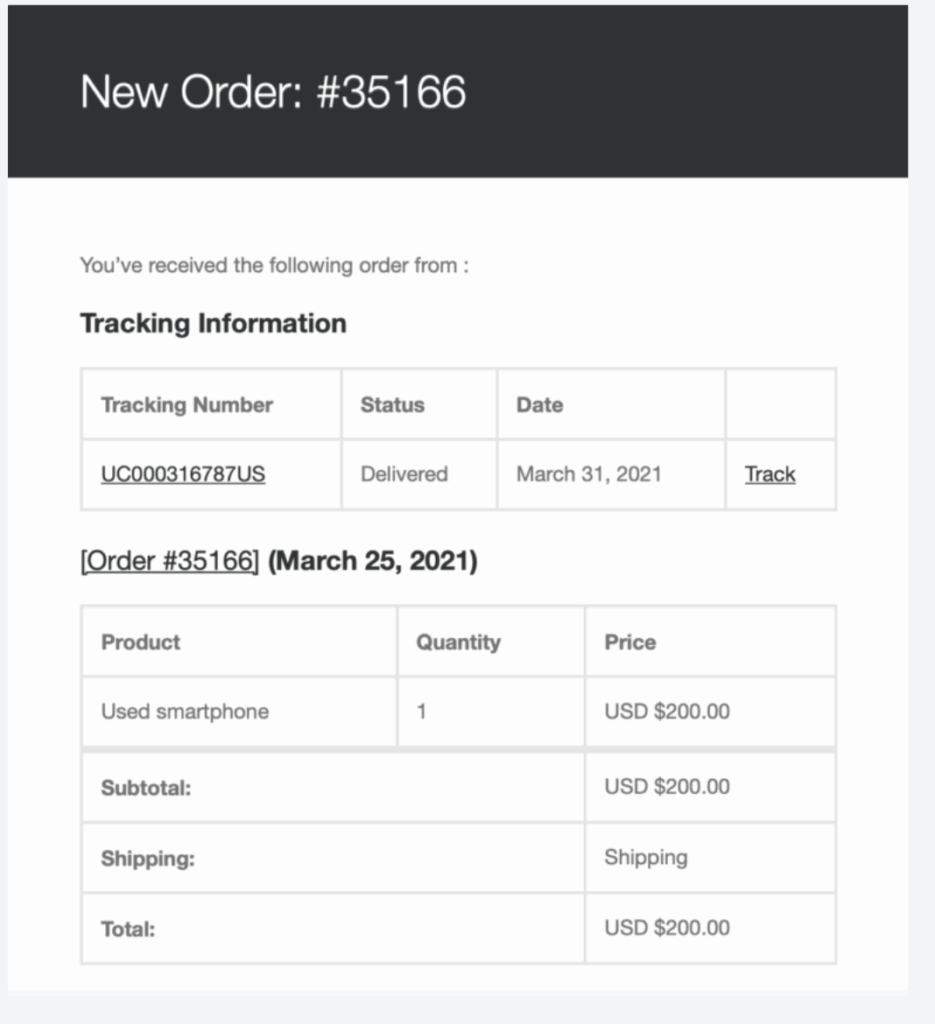
The shipping plugin is reusing the WooCommerce Order Email template, so you don’t have to worry about setting up a separate template for the tracking updates.
Notify for Statuses #
Allows you to select the shipment statuses that will trigger email notifications from the plugin.
1. Click the field next to the Notify for Statuses label and select the status you want to enable notifications for.
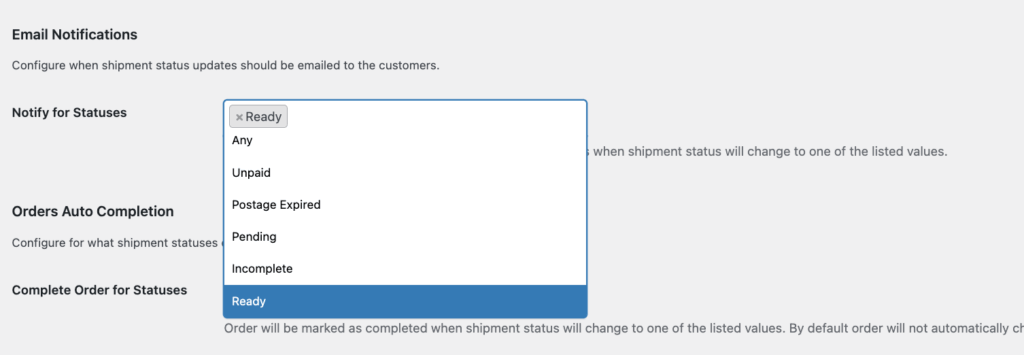
2. Repeat Step 1 to add another status as needed.
3. Click the Save Changes button.


