
E-Commerce Shipping
PluginHive FedEx Alternative: Which FedEx Shipping PRO Plugin Is Better for Your Store?
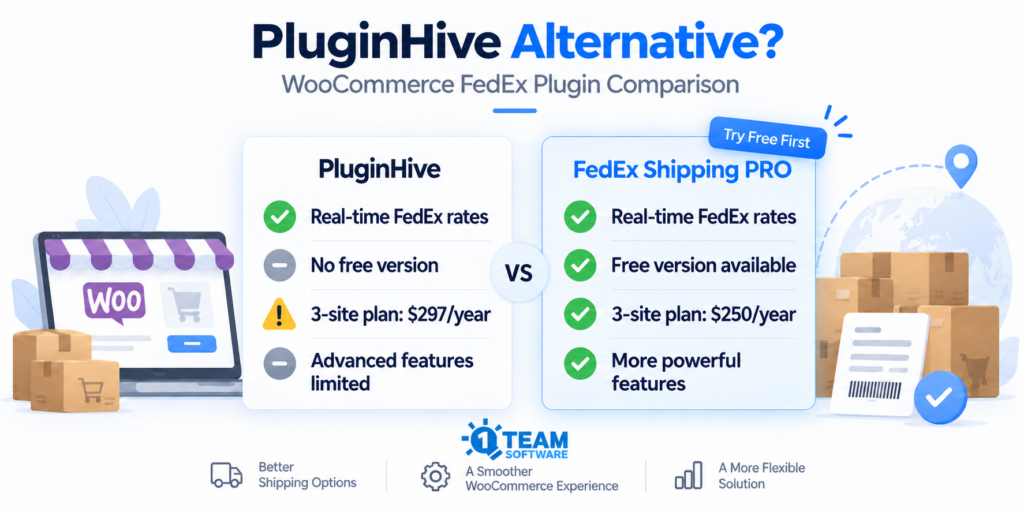
A Practical FedEx Plugin Comparison for WooCommerce Store Owners
If you’re comparing PluginHive’s FedEx plugin with FedEx Shipping PRO for WooCommerce, both products cover the core features most stores expect from a FedEx integration.
Both can display live FedEx rates at checkout, create shipping labels, provide tracking, support international shipping, and handle FedEx Freight.
The more useful question is:
Which plugin fits your WooCommerce store better?
That usually comes down to a few practical differences: how much you can test before buying, how freight is handled, whether you run multiple stores, whether you use a multi-vendor marketplace, and how much control you want over configuration and troubleshooting.
We develop the FedEx Shipping plugin, so this comparison is naturally written from our perspective. At the same time, we want it to be useful and accurate. Where PluginHive may be a better fit, we say so.
Quick Answer
For many WooCommerce stores, FedEx Shipping PRO is worth trying first because you can test live FedEx rates on your own store before paying anything.
The PRO version becomes especially attractive if you:
- Ship FedEx Freight and want freight class calculated automatically
- Operate multiple WooCommerce stores
- Run a multi-vendor marketplace
- Want WP-CLI tools or configuration-as-code options
- Prefer a monthly payment option
- Want to confirm that your FedEx account and live rates work before purchasing
PluginHive remains a good option, especially for a single-site store where the lowest annual price is the main priority.
The important difference is that with our solution, you do not have to make the decision based only on a comparison chart.
You can install the free version from WordPress.org, connect your FedEx account, and see your own live rates first.
FedEx Shipping PRO vs PluginHive: Key Features, Pricing & Differences
Both plugins cover the most important FedEx shipping functions for WooCommerce.
The biggest differences are in testing before purchase, freight automation, multi-vendor support, developer tools, and multi-site pricing.
| Feature | PluginHive FedEx | FedEx Shipping PRO |
|---|---|---|
| Live FedEx rates at cart and checkout | Yes | Yes |
| Estimated delivery dates | Yes | Yes |
| Shipping rules and conditional rate controls | Available | Built in |
| Shipping labels | Yes | Yes |
| Bulk label printing | Yes | Yes, including consolidated PDF |
| Return labels | Yes | Yes |
| FedEx pickup scheduling | Yes | Yes |
| Tracking and customer notifications | Yes | Yes |
| FedEx One Rate | Yes | Yes |
| FedEx Freight / LTL rates | Yes | Yes |
| Automatic freight class calculation | Not described as automatic | Yes, based on packed-shipment density |
| Bill of Lading | Check PluginHive requirements | Yes |
| International customs support | Yes | Yes |
| DDP / duties payer controls | Yes | Yes |
| Multi-vendor shipping origins | Requires separate Multi Vendor Shipping add-on | Included for supported marketplace workflows |
| WP-CLI management | Not advertised | Yes |
| Configuration through wp-config.php | Not advertised | Yes |
| FedEx REST API | Yes | Yes |
| Free version to test live FedEx rates | No free version | Yes, available on WordPress.org |
| Monthly payment option | Annual only | $25/month |
| 1-site annual license | $99/year | $129/year |
| 3-site annual license | $297/year at $99/site | $250/year |
| 30-day money-back period | Yes | Yes |
Features and pricing can change. We recommend checking both product pages before purchasing.
The Differences That Matter Most
Feature charts are useful, but most merchants do not make a decision based on twenty individual rows.
Usually, only a few differences affect the day-to-day shipping workflow.
These are the ones we think matter most.
1. Test Live FedEx Rates Before You Buy
This is one of the biggest differences between the two products.
FedEx Shipping PRO has a free version available on WordPress.org.
You can install it on your WooCommerce store, connect your own FedEx account, add one of your actual products to the cart, and check the rates using a real shipping address.
That gives you a chance to confirm several important things before paying:
- Your FedEx API credentials connect correctly
- Your products have the required shipping data (such as product dimensions and weight information)
- FedEx API returns rates for your shipping destinations
- Your WooCommerce shipping zones are configured correctly
- The FedEx rates shown at checkout match your expectations
Carrier integrations can sometimes fail because of account permissions, product dimensions, packaging, address validation or service availability.
Being able to test live rates first removes much of that uncertainty.
Instead of buying the plugin and then finding out whether it works for your setup, you can confirm the most important part of the integration first using the free version of the plugin.
2. Automatic Freight Class Can Reduce Manual Setup
If you regularly ship heavy or palletized products with FedEx Freight, freight class can become a repetitive part of configuration.
The plugin from 1TeamSoftware can estimate freight class automatically using the density of the packed shipment.
That means you do not have to manually assign a freight class to every product in your catalogue.
For stores with a large catalogue, this can save time and reduce configuration work.
The calculated freight class is still an estimate. The appropriate NMFC classification should always take precedence when applicable.
PluginHive supports FedEx Freight, but its public product information does not describe the same automatic packed-shipment freight-class calculation.
If freight is an important part of your business, this can be a meaningful difference.
3. Multi-Vendor Support Is Included
Multi-vendor stores create an additional shipping challenge.
Products may be shipped by different vendors from completely different locations, so shipping rates need to be calculated using the correct vendor origin address.
Our plugin includes support for vendor-origin workflows for supported WooCommerce marketplace platforms.
That includes popular setups such as:
- Dokan
- WCFM
- MultiVendorX
- WooCommerce Product Vendors
- YITH
- Other supported vendor-origin models
You do not need to purchase a separate 1TeamSoftware multi-vendor shipping add-on. Our FedEx Shipping plugin can calculate shipping rates using each vendor’s own origin address for supported multi-vendor marketplaces.
PluginHive also supports popular marketplace platforms, but its FedEx multi-vendor workflow requires the separate WooCommerce Multi Vendor Shipping Addon, which will add additional cost.
If you run a marketplace, it is worth comparing the complete setup rather than looking only at the price of the base FedEx shipping plugin.
4. Pricing Changes When You Run More Than One Store
For a single site, PluginHive currently has the lower annual price.
But the comparison changes when you operate several WooCommerce stores.
| Number of sites | PluginHive FedEx | FedEx Shipping PRO |
|---|---|---|
| 1 site | $99/year | $129/year |
| 3 sites | $297/year | $250/year |
For one site, PluginHive currently saves $30 per year.
For three sites, the FedEx plugin from our site saves $47 per year based on the current listed prices.
It depends on your situation.
For a small ecommerce store, a single-site license is usually enough.
An agency, multi-brand company, or business operating several storefronts may find our FedEx shipping plugin three-site license more economical.
Our FedEx plugin also offers a $25/month single-site option, which can be useful if you prefer not to commit to an annual license immediately.
5. More Control for Developers and Agencies
This difference may not matter to every store owner.
But for developers, agencies and teams managing several WordPress environments, it can be very useful.
Our solution includes WP-CLI support for tasks such as:
- Checking rates
- Managing shipments
- Creating labels
- Tracking shipments
- Working with manifests
- Validating configuration
- Checking plugin status
For example:
wp wc-fedex-shipping validateInstead of clicking through multiple WordPress settings screens when something is not working, a developer can inspect the configuration directly.
The PRO version of the plugin can also use configuration values from wp-config.php.
This can help teams manage staging and production environments more consistently and can make the plugin easier to integrate into managed deployment workflows.
PluginHive’s public FedEx product information does not currently advertise equivalent WP-CLI functionality.
For a store managed entirely from the WordPress dashboard, this may not matter.
For an agency or development team, it can.
Which Plugin Is the Better Fit?
Here’s a simple way to decide which plugin may fit your store better:
| Your situation | Better fit |
|---|---|
| You want to test live FedEx rates before purchasing | Our plugin |
| You ship FedEx Freight and want automatic freight-class calculation | Our plugin |
| You operate more than one WooCommerce store | Our plugin |
| You want WP-CLI or configuration-as-code tools | Our plugin |
| You run a supported multi-vendor marketplace | Our plugin |
| You prefer a monthly payment option | Our plugin |
| You operate one site and annual price is your main concern | PluginHive |
| You already use PluginHive and it works well for your workflow | PluginHive may still be a good fit |
The goal is not to switch plugins simply because another product has a longer feature list.
The better choice is the one that matches the parts of your shipping workflow you actually use.
Why We Think FedEx Shipping PRO Is Worth Trying
A comparison article can tell you what each product claims to support.
It cannot tell you exactly how a plugin will behave with your own FedEx account, products, shipping zones and checkout.
That is why we think the free version is one of the most useful reasons to consider our solution.
You can install it, connect your own FedEx account and check live shipping rates using your actual store.
If the shipping rates work as expected, you already know the most important part of the integration is working before you upgrade.
If you later need more advanced functionality, the PRO versions of the plugin add:
- Shipping labels
- Bulk label workflows
- Tracking
- FedEx Freight
- Automatic freight-class calculation
- International customs features
- Multi-vendor shipping
- Developer and WP-CLI tools
- Advanced smart box packing using pre-configured shipping boxes
That lets you make the decision based on your own store rather than only on a list of features.
Already Using PluginHive?
If PluginHive is working well for your store, there may be no reason to replace it.
But if you are looking for a PluginHive FedEx alternative because of pricing, freight configuration, multi-vendor shipping, developer tools or simply because you want to compare another solution, you can test our FedEx shipping plugin without committing to a paid license.
Try the free FedEx Shipping plugin on WordPress.org first. No credit card is needed; there is no commitment, and you can test live FedEx rates on your own WooCommerce store before paying anything.
If you later need shipping labels, freight, customs, tracking, advanced packing or other PRO functionality, you can upgrade to the PRO version of the plugin.
Current options include:
- Free version — test live FedEx shipping rates for free
- $25/month — one site
- $129/year — one site
- $250/year — three sites
Annual plans include a 30-day money-back guarantee, subject to the applicable refund conditions.
Frequently Asked Questions
Is FedEx Shipping PRO a PluginHive alternative?
Yes.
Both plugins provide a direct FedEx integration for WooCommerce and support core functions such as live rates, shipping labels, tracking, international shipping and FedEx Freight.
The FedEx plugin from 1TeamSoftware may be particularly attractive if you want to test live rates before buying, need automatic freight-class calculation, run multiple stores, operate a multi-vendor marketplace or want developer-focused management tools.
Can I test FedEx Shipping PRO for free?
Yes.
The free version is available on WordPress.org and can display live FedEx rates in your WooCommerce cart and checkout.
It allows you to test your FedEx account connection and basic shipping configuration before purchasing the PRO version.
Which plugin is cheaper?
For one annual site license, PluginHive is currently cheaper at $99/year, compared with $129/year for FedEx Shipping PRO.
For more than one site, such as three sites, our FedEx plugin is currently $250/year, while three PluginHive licenses at $99 per site total $297/year.
Our solution also offers a $25/month single-site plan, with the flexibility to cancel at any time.
Does FedEx Shipping PRO calculate freight class automatically?
Yes. The plugin can estimate freight class from the density of the packed shipment.
This can reduce the need to manually configure a freight class for every product in your WooCommerce catalogue.
The appropriate NMFC classification should still take precedence where applicable.
Do both plugins support FedEx One Rate?
Yes.
Both PluginHive and our FedEx shipping plugin support FedEx One Rate.
If you are new to One Rate, see our FedEx One Rate guide for a more detailed explanation of how it works.
Which plugin is better for a multi-vendor WooCommerce store?
Both can support multi-vendor shipping workflows.
Our FedEx shipping plugin includes supported vendor-origin functionality in the plugin.
PluginHive requires its separate WooCommerce Multi Vendor Shipping Addon for its multi-vendor FedEx workflow.
If you run a marketplace, compare the complete setup and cost rather than only the base FedEx plugin.
Do I need a third-party shipping account?
No.
Both plugins can connect directly to your own FedEx account using the FedEx API.
That means you can use the rates and services associated with your own FedEx account rather than requiring a separate paid shipping aggregator.
Try FedEx Shipping PRO on Your Own Store
If you are still deciding between PluginHive and FedEx Shipping PRO, the easiest next step is to test it yourself.
Install the free version from WordPress.org and see your own FedEx rates in WooCommerce before purchasing anything.
If the integration works for your store and you need the additional shipping tools, you can upgrade to the PRO version.
See your own FedEx rates first. Decide whether to upgrade afterward.
Comparison last reviewed September 2026. Product features and pricing can change. PluginHive is a trademark of its respective owner and is referenced solely for product comparison.