
E-Commerce Shipping
Chit Chats vs Stallion Express: Which One Is Better for Canadian WooCommerce Stores in 2026?
If you run an eCommerce store in Canada, you’ve probably felt this pain firsthand:
- A small package costs $15–$25 just to ship locally
- U.S. shipping costs are unpredictable (and often expensive)
- Customers abandon their carts when they see the high shipping cost
- You’re stuck guessing shipping rates… and hoping you don’t lose money
Most of the time, the problem isn’t your store. It’s the carriers.
Services like Canada Post, UPS, and FedEx are reliable, but unless you’re doing big volume, their shipping costs just aren’t competitive.
That’s why more Canadian merchants are switching to:
- Chit Chats
- Stallion Express
Both can significantly reduce your shipping costs, especially for U.S. shipments. But which one should you actually use for your e-commerce store?
Let’s break it down in a way that actually helps you decide.
Why Chit Chats and Stallion Express Are So Much Cheaper
Both companies work in a similar way:
- They consolidate shipments from thousands of sellers
- Move parcels across the border in bulk
- Integrate them into cheaper networks (like USPS in the U.S.)
Because of that, you get access to commercial-level shipping rates without needing huge volume.
For many stores, this can mean saving 30%–70% on shipping costs per shipment.
Chit Chats vs Stallion Express
Chit Chats is simple, reliable, and beginner-friendly
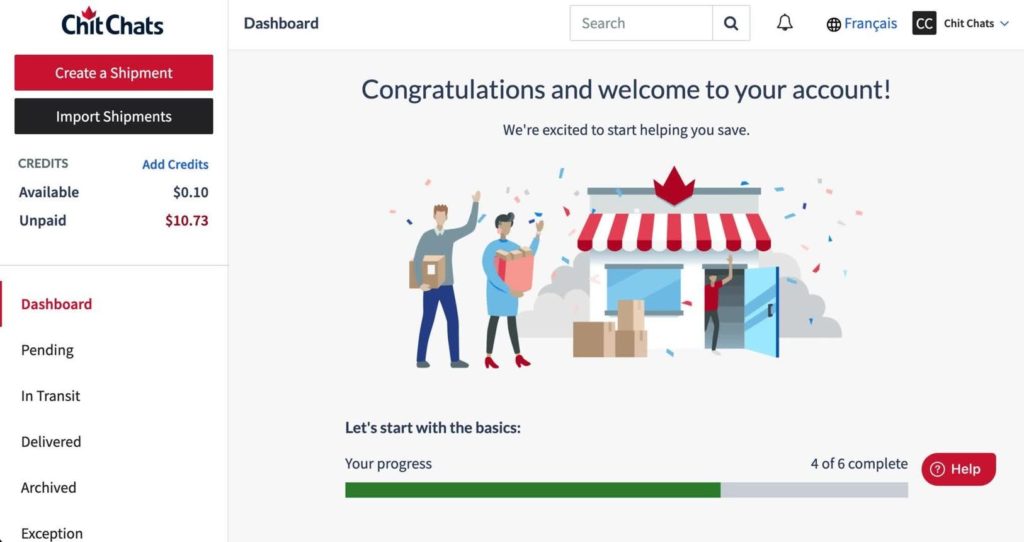

If you just want something that works without overthinking it, Chit Chats is usually the easiest one to start.
What people like:
- Clean, simple website interface
- Very competitive U.S. shipping rates
- Consistent delivery performance
- Easy onboarding
Where it’s limited:
- Fewer carrier options
- Less flexibility if you want to fine-tune shipping strategies
Best for: small to mid-size stores that want low-cost shipping rates without complexity
Stallion Express is more powerful and offers greater control.

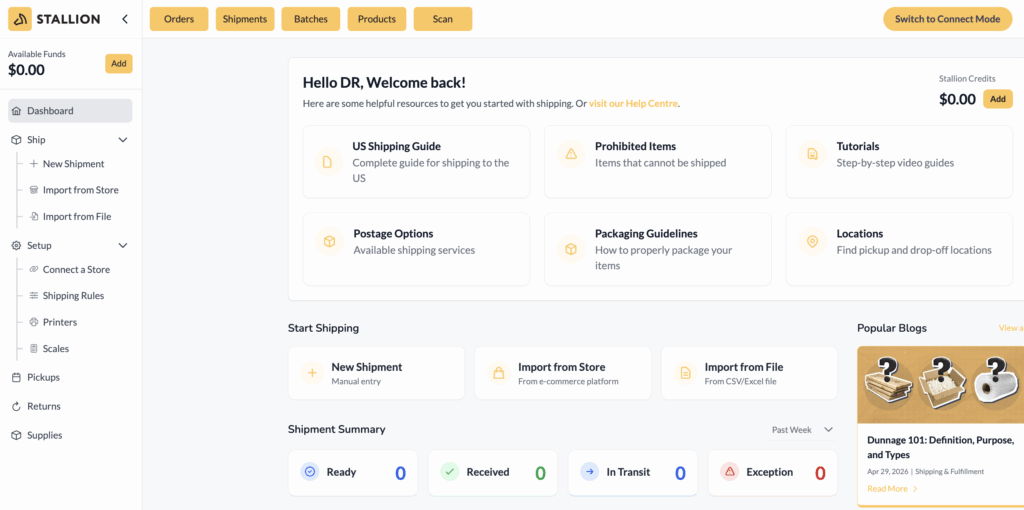
Stallion Express is a bit more “advanced”, but that’s not a bad thing.
What people like:
- Slightly better shipping cost in some cases
- More flexibility for scaling stores
- Better control over shipping options
What to expect:
- Slight learning curve
- Interface isn’t as beginner-friendly
Best for: growing stores that want more control and optimization
Stallion Express – DDP HTS Verification (Important Setup Step)
Before you can successfully retrieve live shipping rates from the Stallion Express API, there are a few required steps to complete.
What You Need to Do
Whether you’re using sandbox (testing) or production (live) mode, Stallion Express requires the following:
- Export your products to the Stallion dashboard (either sandbox or production account)
- Complete DDP HTS verification for each product
- Submit all products for approval
⚠️ Important Notes
- Stallion Express applies a fee per product for DDP HTS verification
- This charge is applied automatically once a product is approved
If you’re using sandbox mode,
- You must classify every product SKU
- Each SKU needs to be approved before the live shipping rates will work
Example:
If even one SKU is not classified or approved, no shipping rates will be returned
Where Products Are Approved
- Sandbox environment (https://sandbox.stallionexpress.ca/)
→ Approved by Stallion’s API team - Production environment (https://stallionexpress.ca/)
→ Approved by Stallion support team
After Product Approval
Once all products are approved:
✅ Live shipping rates will appear in your WooCommerce store’s cart and checkout
✅ The Stallion Express API shipping plugin will return accurate live shipping rates from the Stallion Express API
If Products Are Not Approved
- U.S. shipping rates will not be available
- The API will return no shipping rates
Quick Summary
To get Stallion Express live shipping rates to display in the cart/checkout page:
- Export products
- Complete DDP HTS verification
- Get all SKUs approved
Only then will shipping rates display correctly.
However, if your store has a large catalogue (e.g., 100+ products), completing DDP HTS verification for each item can be time-consuming and should be taken into consideration.
Chit Chats vs Stallion Express Side-by-Side (Quick Summary)
| Chit Chats | Stallion Express | |
| Ease of use | Very easy | Moderate |
| Pricing | Very good | Very good (sometimes better) |
| Carrier options | Limited | More variety |
| Flexibility | Basic | Advanced |
| Best for | Simplicity | Scaling & optimization |
The Most Important Factor
The real decision comes down to location.
Check first:
- Is there a Chit Chats drop-off office near me?
- Is there a Stallion Express drop-off location near me?
Because at the end of the day:
- You’ll be dropping off packages regularly
- Time is money
- Convenience matters more than small pricing differences
If one is 10 minutes away and the other is 45 minutes away. The closer one wins.
How Much Can You Actually Save?
Typical savings compared to traditional carriers:
- 🇨🇦 Canada shipments: 20%–50%
- 🇺🇸 U.S. shipments: 50%–70% cheaper
- 🌍 International shipments: 30%–60%
This is why so many Canadian e-commerce store owners are able to:
- Offer cheaper shipping rates
- Stay competitive with U.S. sellers
- Improve conversion rates
The Mistake Most Store Owners Make
Switching to Chit Chats or Stallion Express is only half the solution.
Most stores still:
- Set flat rates in the cart and checkout page
- Guess shipping costs
- Or show inaccurate shipping rates
This leads to losing money on orders by undercharging for shipping costs or driving customers away with overpriced shipping costs.
How to Fully Take Advantage (This Is Key)
To really benefit from these services, you need:
Live shipping rates in your cart and checkout
That’s where:
Come in.
These live shipping rate shipping plugins:
- Connect directly to the shipping provider API
- Show real-time shipping rates in the cart/checkout page to your customers
- Automatically calculate live shipping rates based on packages’ weight, dimensions, and shipping destinations.
So what shipping rates the customer sees in the cart are exactly what you pay for shipping.
No guessing. No surprises.
Why This Changes Everything
When you combine:
- Discounted shipping (Chit Chats / Stallion Express)
- Live rates in the WooCommerce store checkout
You get:
- Display accurate shipping rates in the cart and at checkout
- Better conversion rates
- Protected WooCommerce store margins
This is how serious WooCommerce stores optimize shipping.
Final Thoughts
There’s no “one-size-fits-all” winner here.
- Go with Chit Chats if you want something simple and reliable
- Go with Stallion Express if you want more flexibility and control
But most importantly:
Pick the one with the closest drop-off location
And if you want to get the most out of either service, use live shipping rates shipping plugins for your WooCommerce stores.
That’s the difference between just saving money and actually turning shipping into a competitive advantage.