
How to know what shipping services are available for customers?
2 min read
Deciding which shipping services to offer to your customers can greatly impact their satisfaction and your business’s efficiency. While using the WooCommerce shipping plugins to optimize your shipping process and offer the best shipping services to your customers, it’s essential to carefully consider which shipping services to select.
Video tutorial:
How to know what shipping services are availabe for customers in WooCommerce shipping plugin
First of all, how do you determine which shipping services to offer customers in your WooCommerce store?
To view all available shipping services, follow these steps:
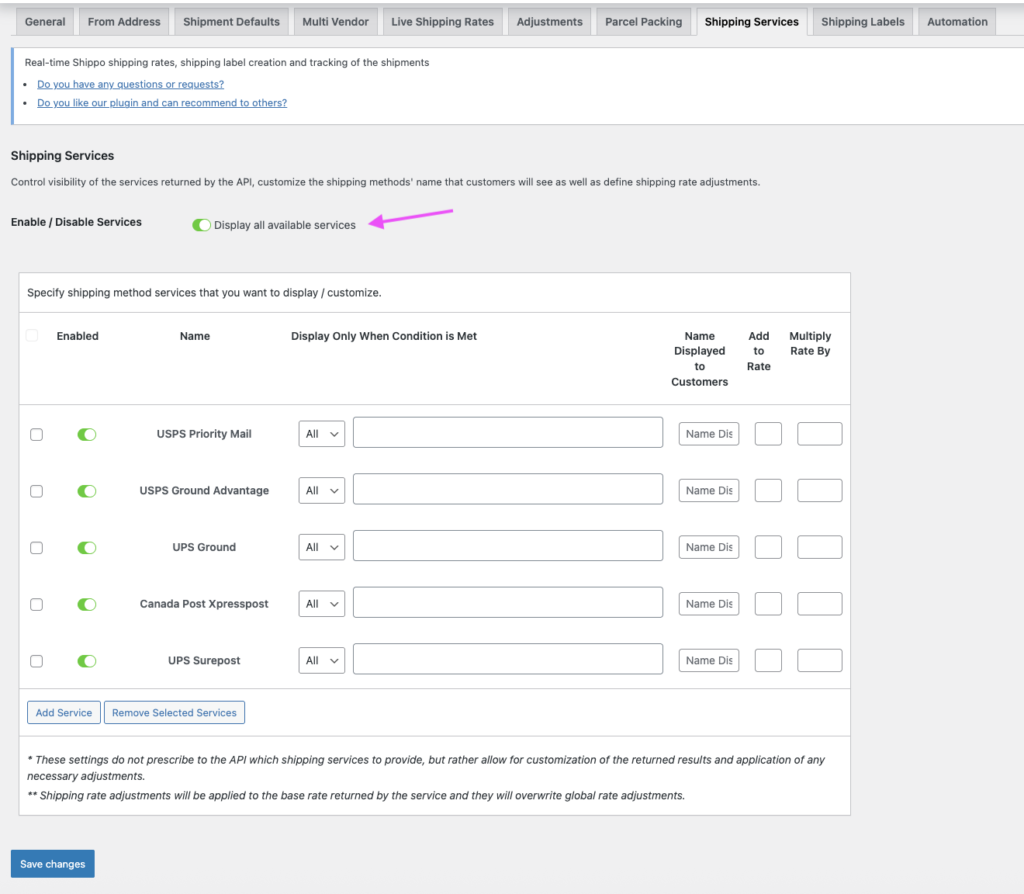
- Go to settings of the WooCommerce live shipping rates plugin, such as Shippo Shipping PRO, ShipStation Shipping PRO, and EasyPost Shipping PRO, then navigate to the “Shipping Services” tab.
- Enable the “Display all available shipping services” option.
And save the settings for the change.
- Visit your WooCommerce store and add the desired items to the cart
- Enter the information of city, town, and postal code for your testing shipping destination
- Wait for the WooCommerce live shipping rates plugin to display the shipping rates for the available shipping services
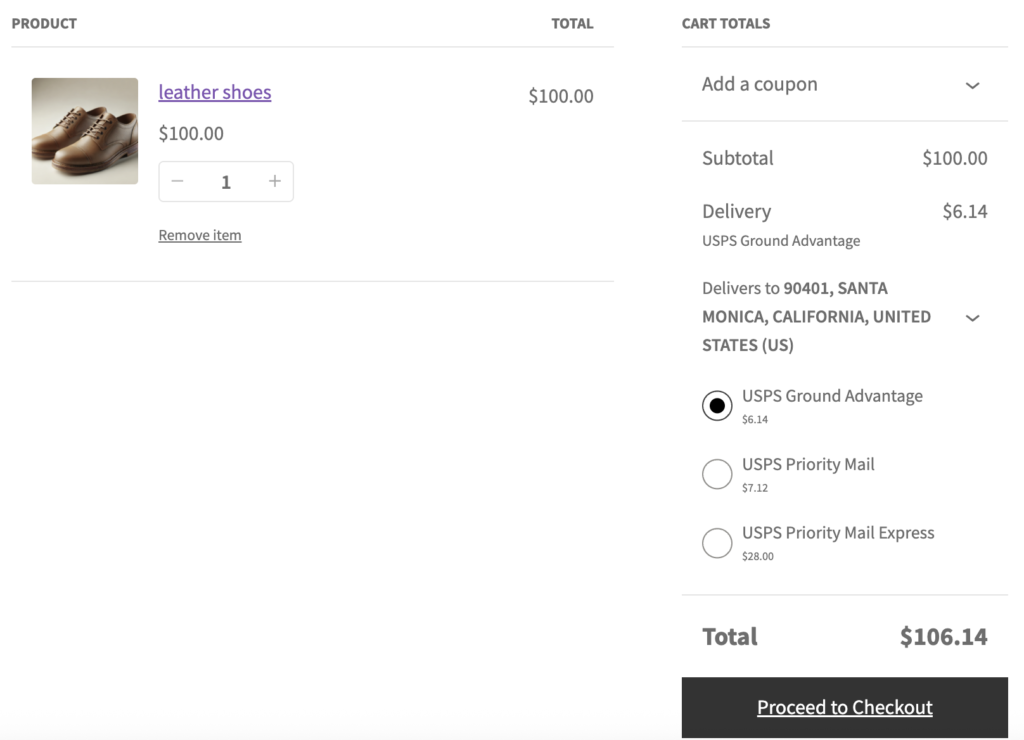
Based on the available shipping services options, choose the shipping services that you believe will best serve your customers’ needs, and add them in the WooCommerce shipping plugin’s settings.
Please take note that when testing live shipping rates, it is crucial to use different postal codes each time to prevent cached results. This ensures WooCommerce shipping plugin to return the accurate and up-to-date shipping rate calculations.
WooCommerce shipping plugins facilitate the process of sending package weight and dimensions to carriers through services API, such as Shippo API, who then calculate the real time shipping rates for various shipping services. These live shipping rates are displayed based on the results returned by the carriers’ API.
By limiting the number of requested shipping services, the time required to calculate shipping rates can be reduced. This, in turn, enhances the live shipping rate response time on the WooCommerce stores’ website and improves the overall user experience for customers.
To achieve these benefits, we highly recommend limiting the number of shipping services to no more than five for a given area.


