
How to Display Shippo Rates in the WooCommerce Cart (Free version plugin)
- The Hidden Problem with Shippo Rates in WooCommerce
- Why Flat Rate and Table Rate Shipping Can Hurt Your WooCommerce Store Profits
- The Better Solution: Show Shippo Rates in the Cart
- How Multi-Carrier Shippo Shipping PRO for WooCommerce Solves This Problem
- Test It First: Use the Free Version of Shippo Shipping PRO
- How to configure the free version of Multi-Carrier Shippo Shipping PRO for WooCommerce
If you run an e-commerce store, chances are you’re already familiar with Shippo.
Shippo is one of the most popular multi-carrier shipping platforms for eCommerce, trusted by thousands of online stores to access discounted shipping rates from major carriers like USPS, UPS, FedEx, and DHL. Those negotiated carrier rates can save a lot of money compared to retail shipping rates, especially as order volume grows.
But here’s the catch (and this is where many store owners get stuck).
The Hidden Problem with Shippo Rates in WooCommerce #
Shippo’s discounted shipping rates are only applied when the shipping label is created in your Shippo account. That means these discounted Shippo rates cannot be displayed to customers in the cart during checkout.
Because of this limitation, most WooCommerce store owners end up using one of these two options:
- Flat rate shipping
- Table rate shipping
They are easy to set up, but they come with serious downsides.
Why Flat Rate and Table Rate Shipping Can Hurt Your WooCommerce Store Profits #
Overcharging Customers Causes Cart Abandonment #
To stay safe, many stores inflate shipping costs.
Customers notice.
High shipping costs at checkout are one of the top reasons shoppers abandon WooCommerce carts.
Undercharging Quietly Destroys Your Margins #
Setting the shipping cost too low feels safer until you purchase the shipping label.
That’s when many store owners realize they’ve lost profit without noticing.
Running a store where shipping margins are predictable isn’t sustainable long-term.
And the worst part?
You often don’t even notice how much margin you lost until it’s too late.
Operating an e-commerce business with this level of unpredictability isn’t sustainable in the long run.
The Better Solution: Show Shippo Rates in the Cart #
What if you could:
Charge customers the same shipping rate you’ll pay for the shipping label.
No guessing. No surprises. No margin erosion.
That’s exactly what Multi-Carrier Shippo Shipping PRO for WooCommerce is designed to do.
How Multi-Carrier Shippo Shipping PRO for WooCommerce Solves This Problem #
With the Shippo Shipping PRO plugin by 1TeamSoftware, you can:
- Display live Shippo discounted shipping rates in the WooCommerce cart and checkout
- Use real carrier rates instead of flat or table rates
- Protect your profit while staying competitive
- Give customers transparent, accurate shipping costs
Once the order is placed, you simply create the shipping label in the plugin or at your Shippo account, using the same discounted shipping rate the customer already paid.
No more worrying about losing money on your shipping costs.
What About Extra Packaging Costs?
Many products require extra care:
- Bubble wrap
- Special boxes
- Protective packaging
- Custom handling
Those materials add weight and cost, and if you don’t account for them, shipping eats into your margins again.
Multi-Carrier Shippo Shipping PRO for WooCommerce solves this problem, too.
You can:
- Add additional weight adjustments
- Apply shipping rate markups or handling fees in the settings
- Ensure packaging costs are always covered
This means you can focus on growing your business, not constantly recalculating shipping cost math.
Test It First: Use the Free Version of Shippo Shipping PRO #
The free version of Multi-Carrier Shippo Shipping PRO for WooCommerce uses default package dimensions and weight to display shipping rates in the cart.
It allows you to understand how the shipping plugin works before upgrading to the PRO version.
It’s a risk-free way to confirm that the shipping plugin is the right fit for your WooCommerce store.
What This Article Will Cover Next
In the rest of this guide, I’ll walk you through:
- How to configure the free version of Multi-Carrier Shippo Shipping PRO for WooCommerce
- How to test Shippo shipping rates in the WooCommerce cart
- What to expect before upgrading to the PRO version of the live shipping rates plugin
If you’re tired of guessing shipping costs and want a smarter, more profitable setup, this is the easiest place to start.
How to configure the free version of Multi-Carrier Shippo Shipping PRO for WooCommerce #
- Step 1: Install plugin
- Step 2: Connect the Shippo account
- Step 3: Configure the Shippo Shipping PRO plugin and enable live rates
- Step 4: Test in the WooCommerce cart
Step 1: Install plugin #
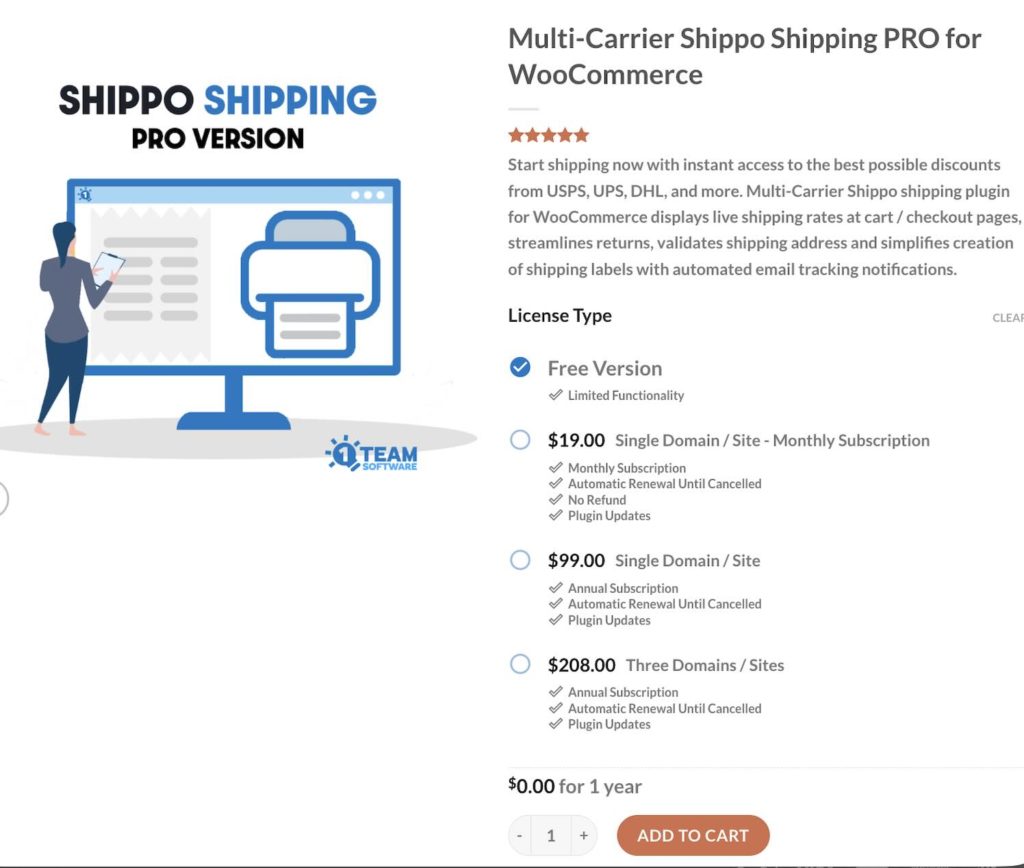
Visit the product page for Multi-Carrier Shippo Shipping PRO for WooCommerce. Select the Free version of the plugin. Add it to your cart and complete the checkout process.
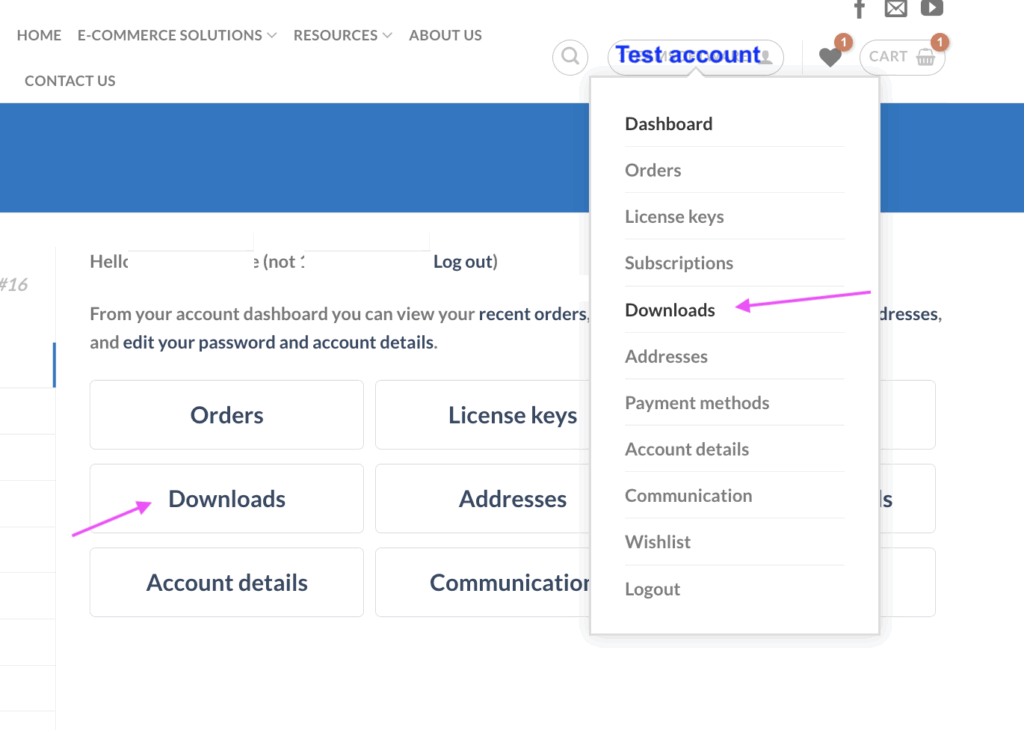
After completing your order, log in to your account and go to the Dashboard. Navigate to the Downloads section, where you’ll see the available plugins in your account.
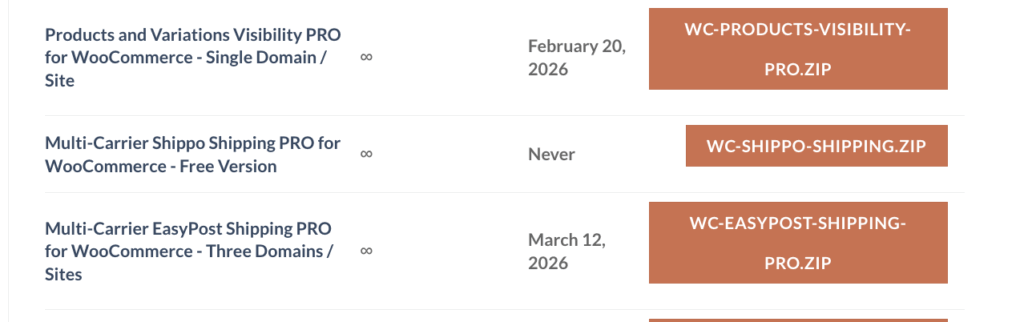
There, you’ll find the free version of the Shippo Shipping PRO plugin ready for download (as shown in the screenshot below).
Click the orange Download button to start the download, and save the plugin file to a convenient location on your computer.
Next, log in to your WooCommerce store.
From the left-hand menu, go to Plugins → Add Plugins.
Click Upload Plugin, then select Choose File and upload the free version of the Shippo Shipping PRO plugin that you downloaded earlier.
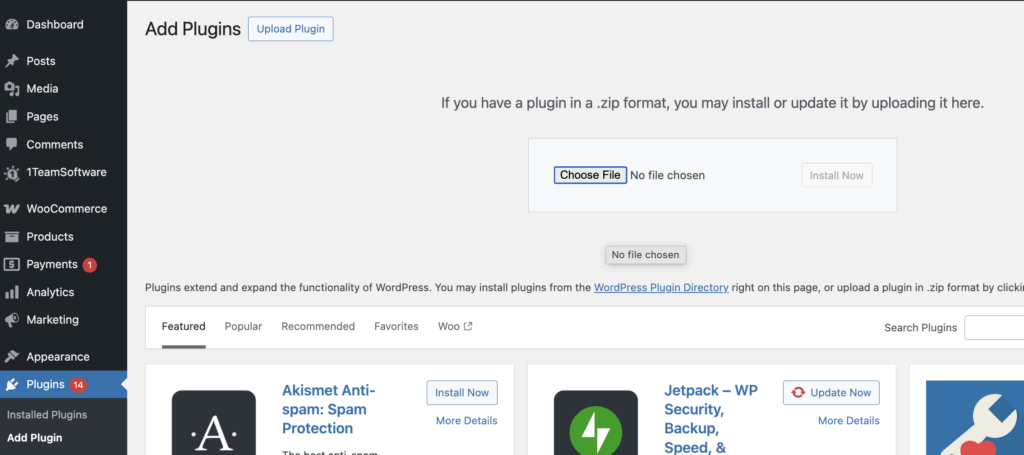
Once the upload is complete, click Install Now, then Activate.
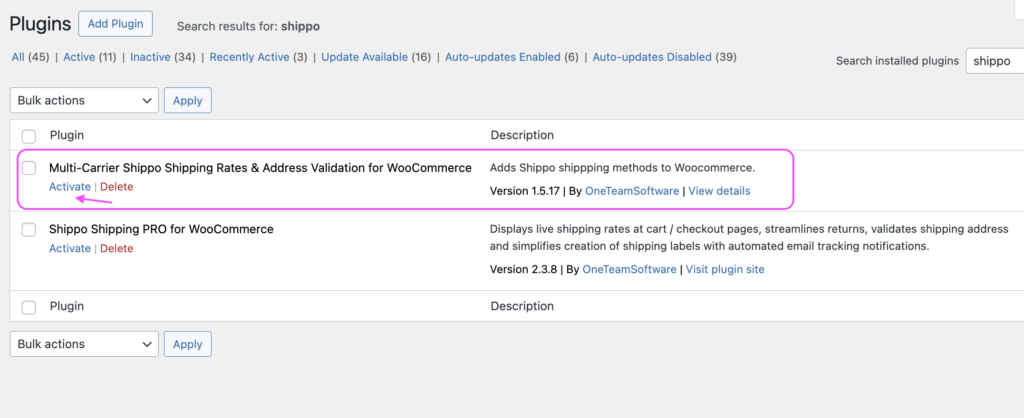
After activation, return to the Plugins list. You should see the plugin listed as “Multi-Carrier Shippo Shipping Rate & Address Validation for WooCommerce.”
Click “Activate” to enable the free version of the plugin.
Step 2: Connect your Shippo account to the shipping plugin #
You will then see a 1TeamSoftware tab appear in the left-hand menu.
Click on Shippo Shipping under the 1TeamSoftware tab to access the plugin settings.
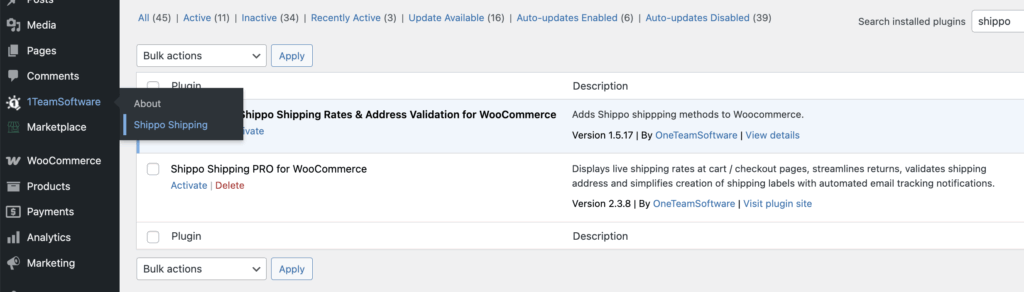
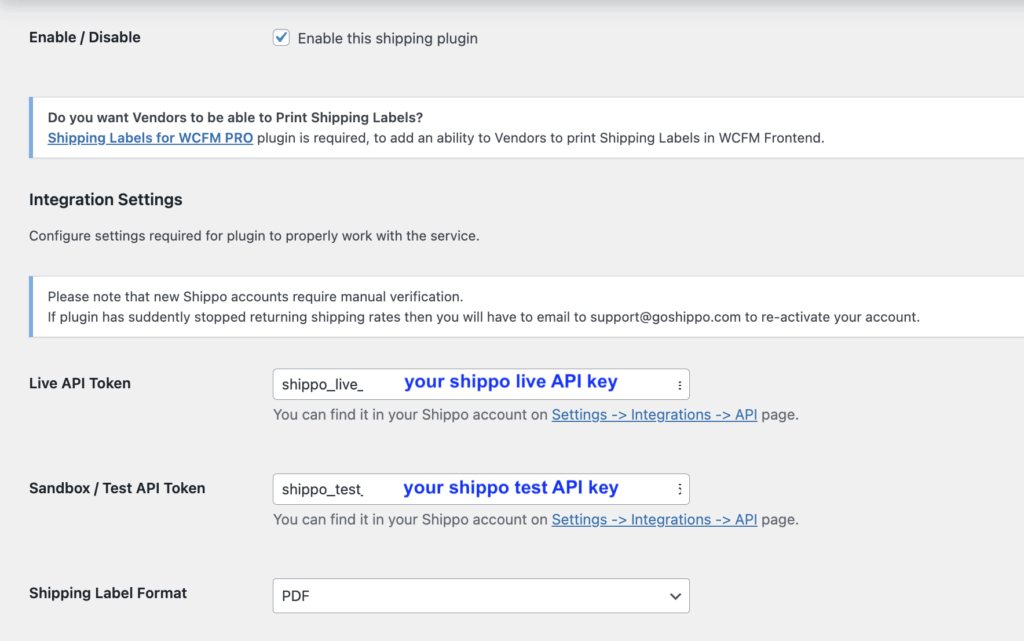
You will then be redirected to the free version of the Shippo Shipping PRO settings page. From there:
- Enable the plugin
- Enter your Shippo Live API Key
- Enter your Shippo Sandbox (Test) API Key
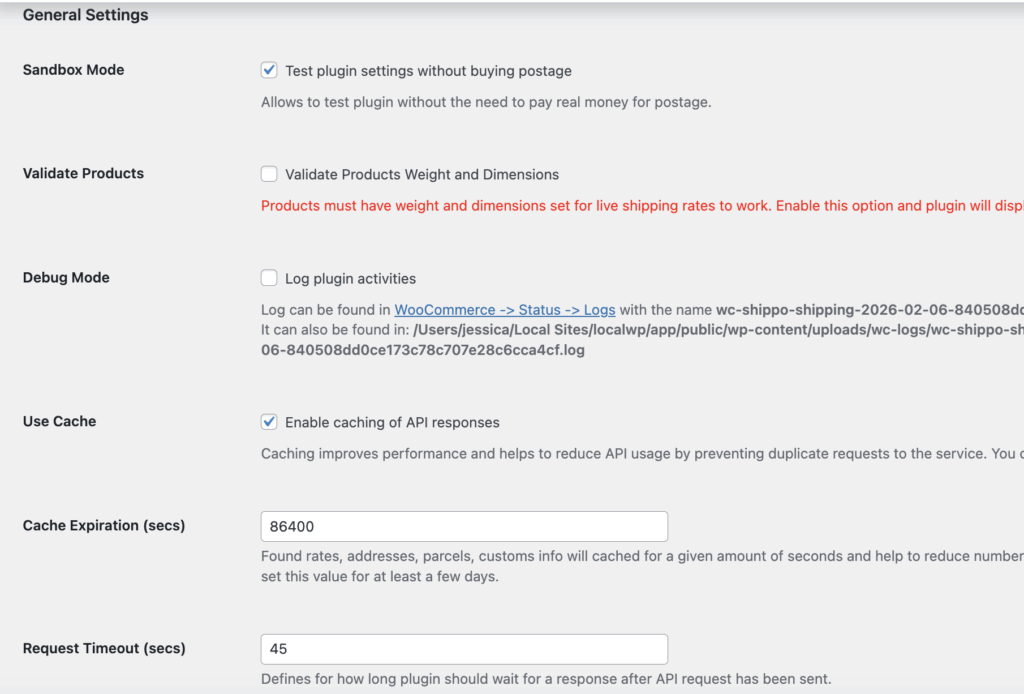
General settings
If you have a Sandbox/Test API Key, you can enable Sandbox Mode after entering the key.
In the PRO version, Sandbox Mode allows you to test shipping rates in the cart and purchase test shipping labels at no cost. Please note that the free version does not support shipping label creation. Sandbox Mode in the free version is intended for rate testing purposes only.
For best performance, we recommend keeping the “Use Cache” option enabled, as it helps the plugin run more efficiently and reliably.
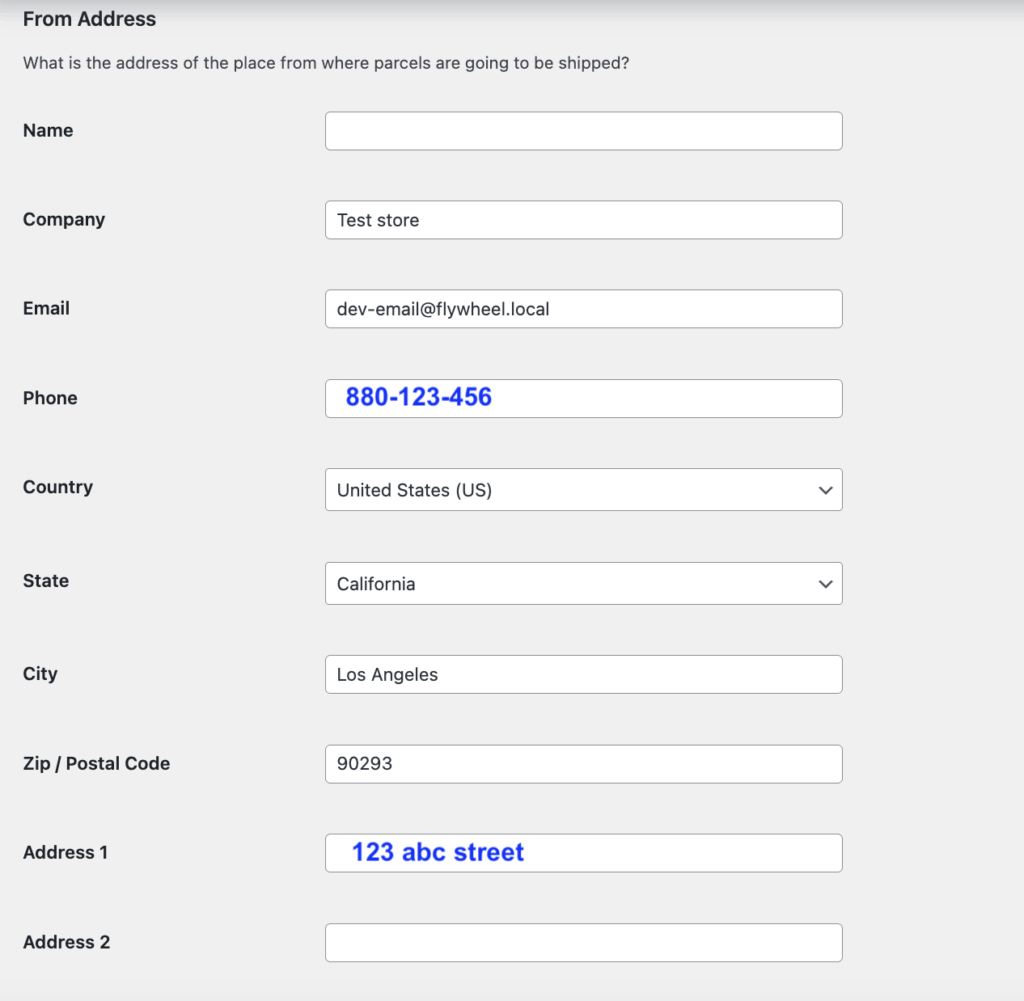
From Address:
Enter your “Ship From” address in this field, such as your warehouse or fulfillment location.
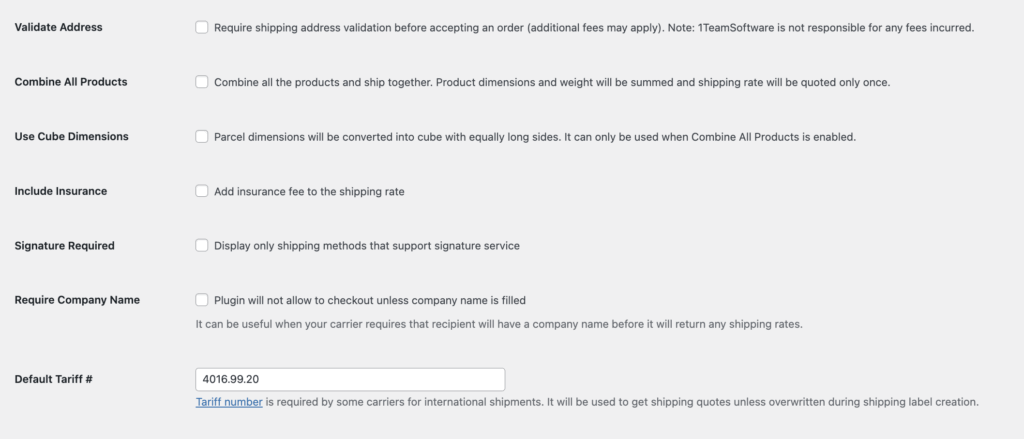
Common Shipping Settings
Keep all options unchecked (default settings) to avoid adding restrictions that may impact your test results. If you plan to ship internationally, make sure to enter the appropriate HS (Tariff) number for your products in the “Default Tariff” field.
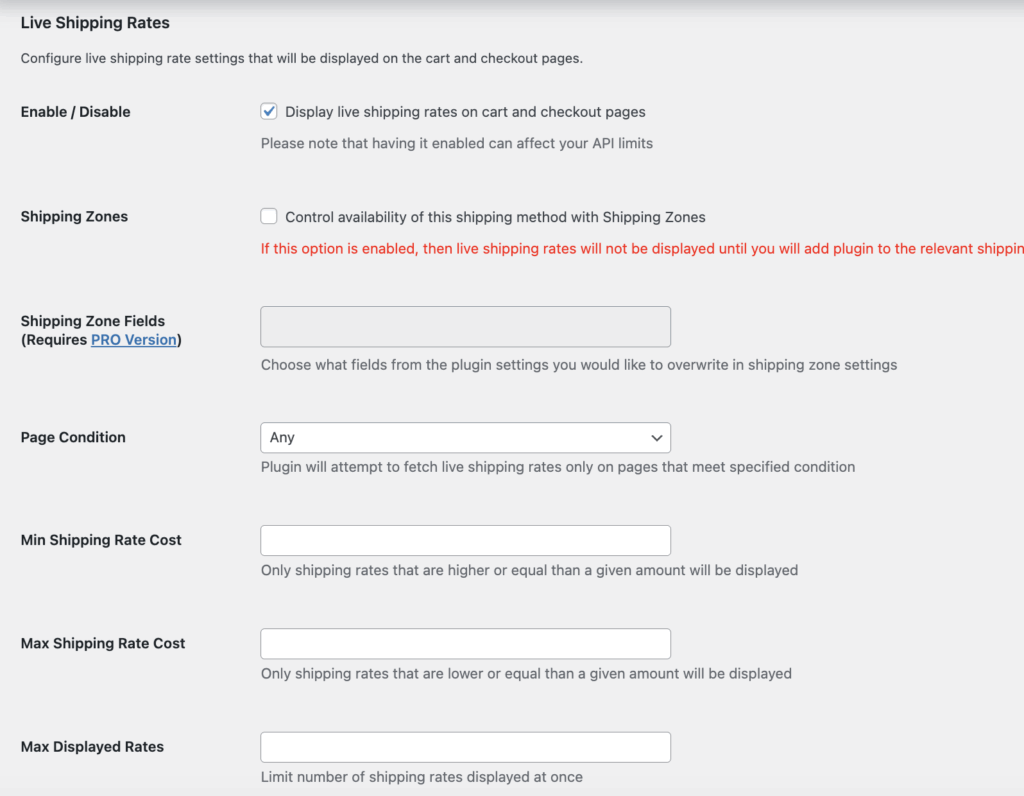
Step 3: Configure the Shippo Shipping PRO plugin and enable live rates
#
Enable the “Display live shipping rates on cart and checkout page” option.
Leave the remaining settings at their default (unchecked) state to avoid adding restrictions that could affect your test results.
For Page Condition, make sure it is set to “Any.”
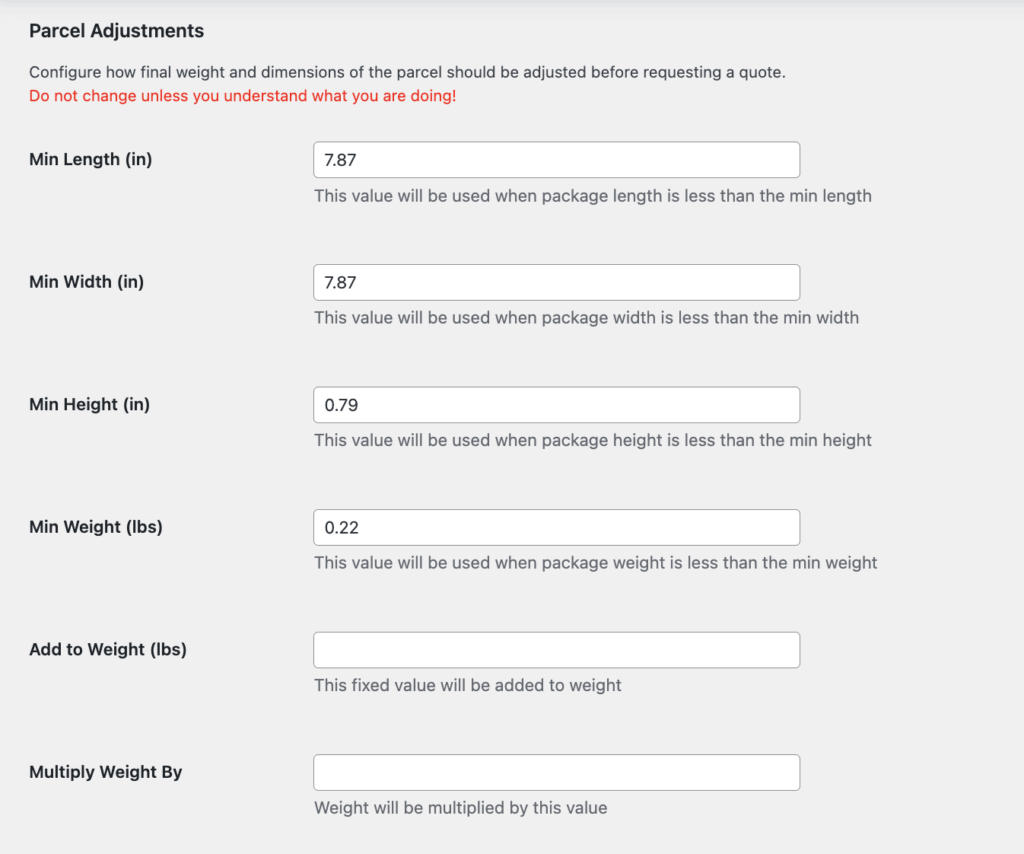
Parcel adjustment section
The Min Length, Min Width, Min Height, and Min Weight fields are used as default values when calculating live shipping rates. The plugin will use its standard default settings for rate calculation.
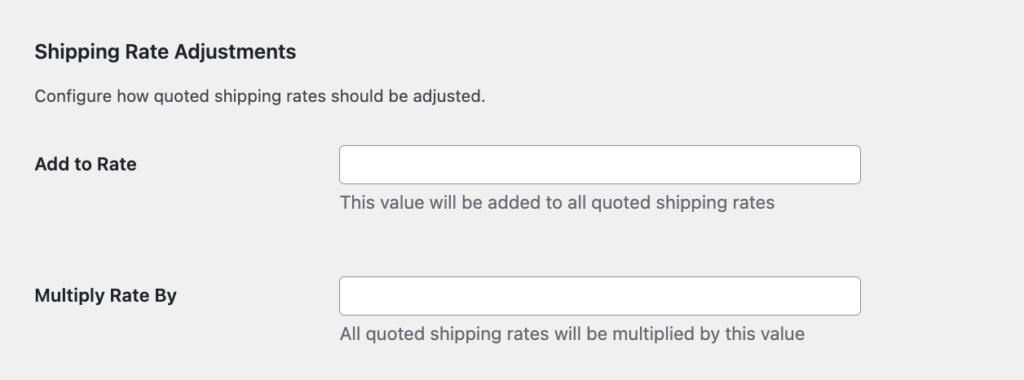
Shipping rate adjustment – recommend to keep all columns empty
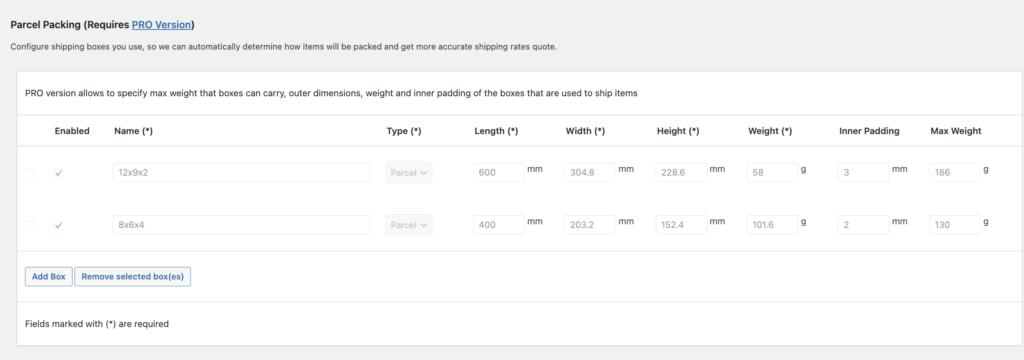
Parcel packing and shipping service configuration settings are available in the PRO version only.
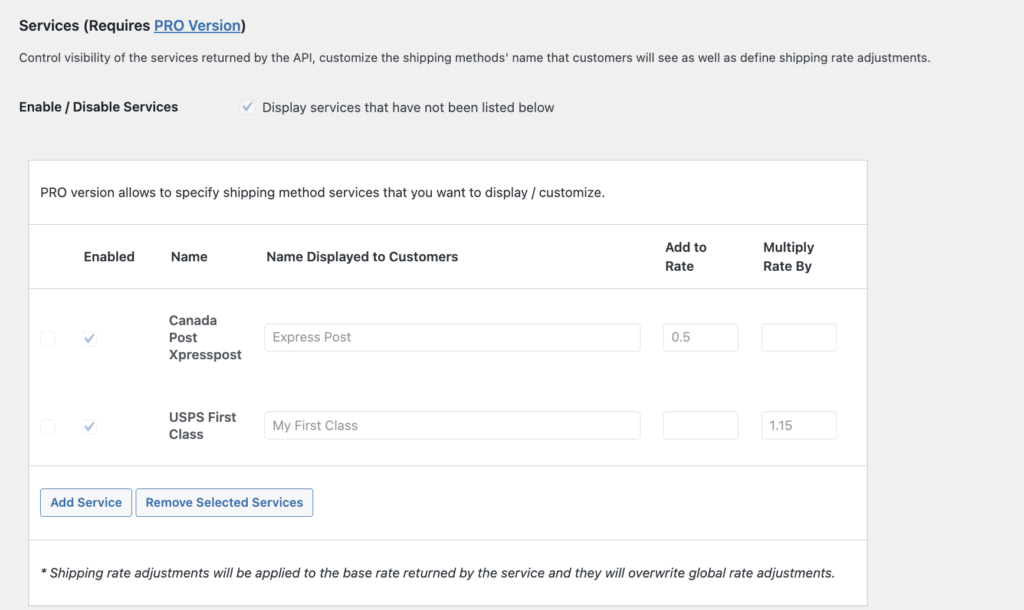
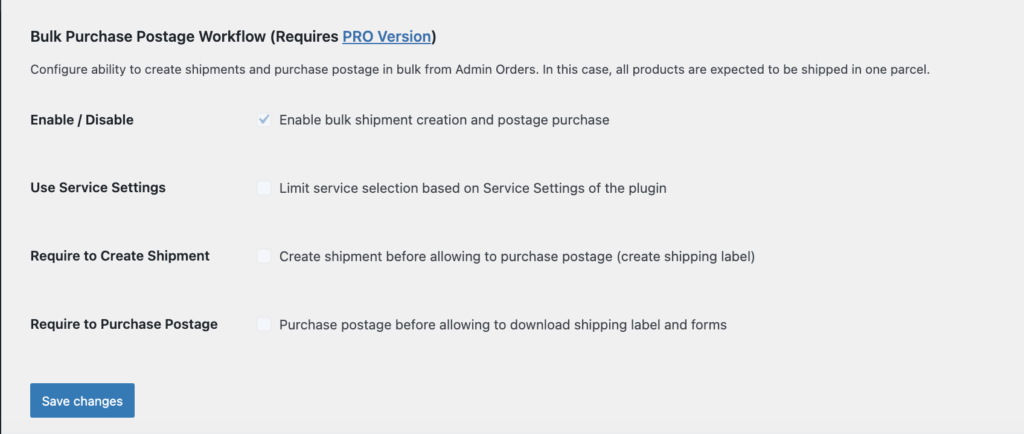
Features such as auto tracking, order import/export, shipping label configuration, and bulk label purchasing are available in the PRO version only. You can safely skip those sections when using the free version.
Once finished, scroll down and click “Save Changes” to apply your settings.
Step 4: Test the Shippo rate in the cart #
Go to your product page, add a product to the cart, and enter your shipping address. You should then see the live shipping rates of available shipping services displayed in the cart.
This is the best way to verify whether your preferred shipping services are supported.
Please note that not all shipping services are available for every address. You may find that certain shipping services appear for some destinations but not for others.
The Shippo API and carrier APIs determine available shipping services based on both the ship-from and ship-to addresses. For the most accurate test results, we recommend testing with different shipping addresses and new postal codes to avoid cached results.
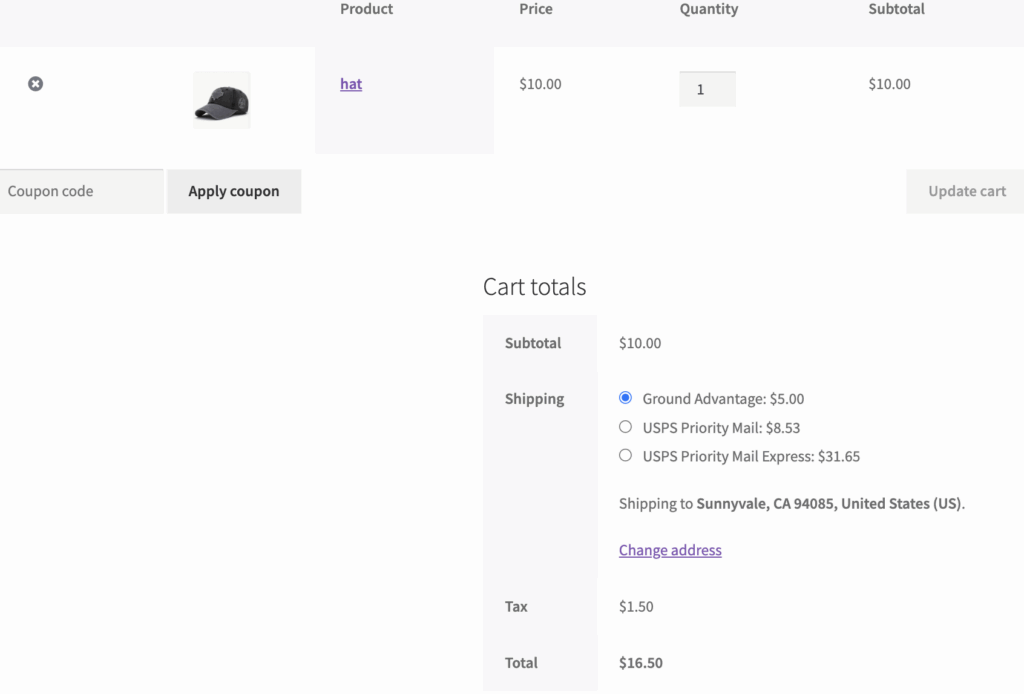
Please note that the rates shown in the free version are for demonstration purposes only.
The free version uses default package dimensions and weight to calculate live shipping rates, so they may not fully reflect your actual packaging setup.
If the free version successfully displays the shipping services you plan to use, upgrading to the PRO version will unlock advanced settings that allow you to customize package details, carrier options, and other configurations to match your business needs, along with access to all PRO features.
If you have any questions while using the free version of the shipping plugin, please feel free to submit a ticket through our Contact Us page. We’re happy to help.


